
Athlete
Log an injury
Body part, severity, status, and expected return, tracked over time.
Add an injury
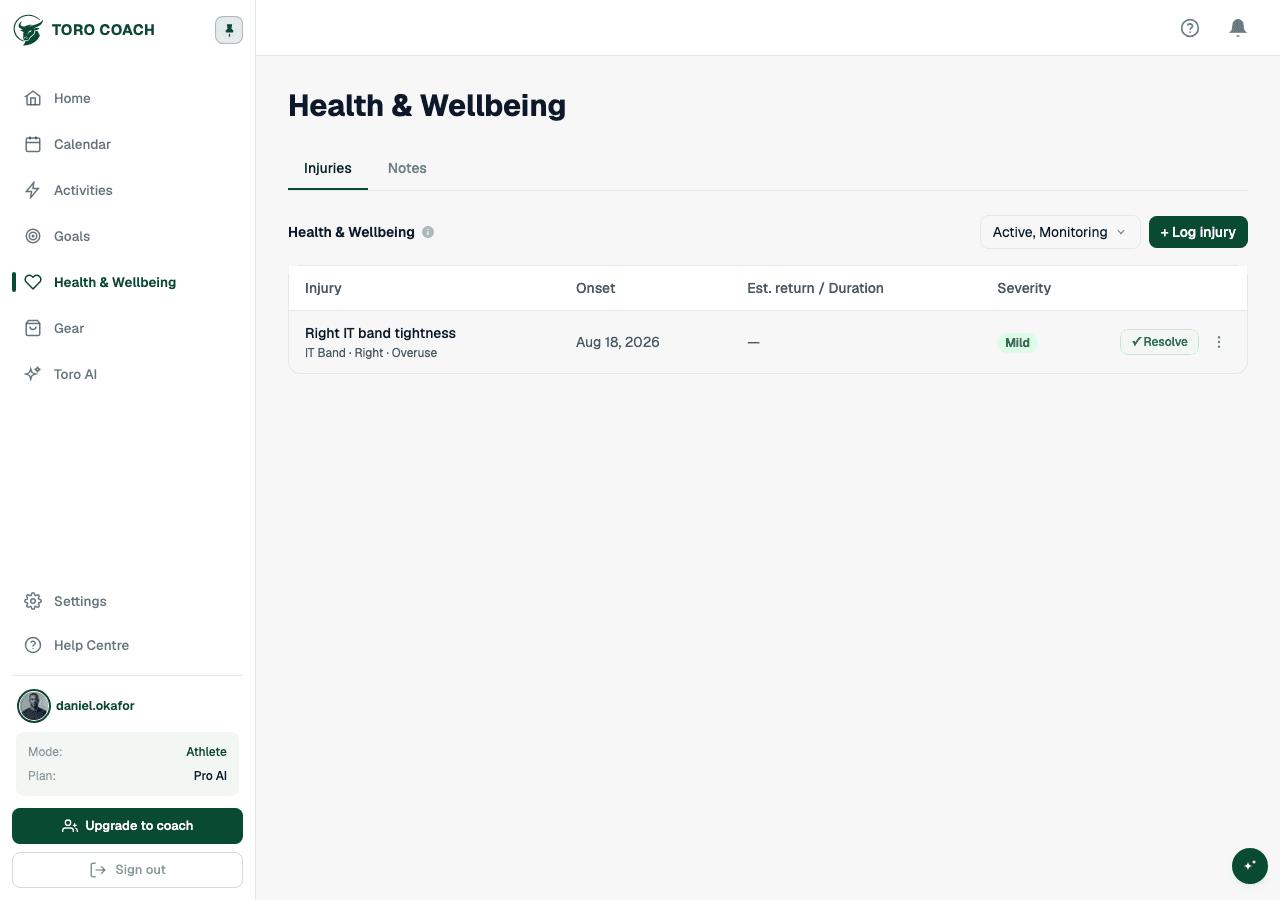
Open Health & Wellbeing → Injuries.
- 1
Select + Add Injury.
- 2
Choose the body part and side, and the injury type.
- 3
Set a severity — mild, moderate, or severe.
- 4
Add the onset date and, if you have one, an estimated return date.
Tracking and resolving an injury
- Status moves between Active, Monitoring, and Resolved.
- Use ✓ Resolve on an injury’s row once you’re back to full training — it records how many days the injury lasted.
- Filter the list by status; Active and Monitoring show by default.
- Open an injury for its own detail page, including any dates it’s linked to on your calendar.
Sharing with your coach
If you are coached, your coach can see this same injury log and uses it as context when adjusting your plan — see Reviewing an athlete’s session.