
AthleteCoach
Choose what you get notified about
The notification bell, and which email alerts you receive.
The notification bell
The bell icon in the header shows your unread count. Opening it marks everything as read; each notification links straight to the relevant session, activity, or page.
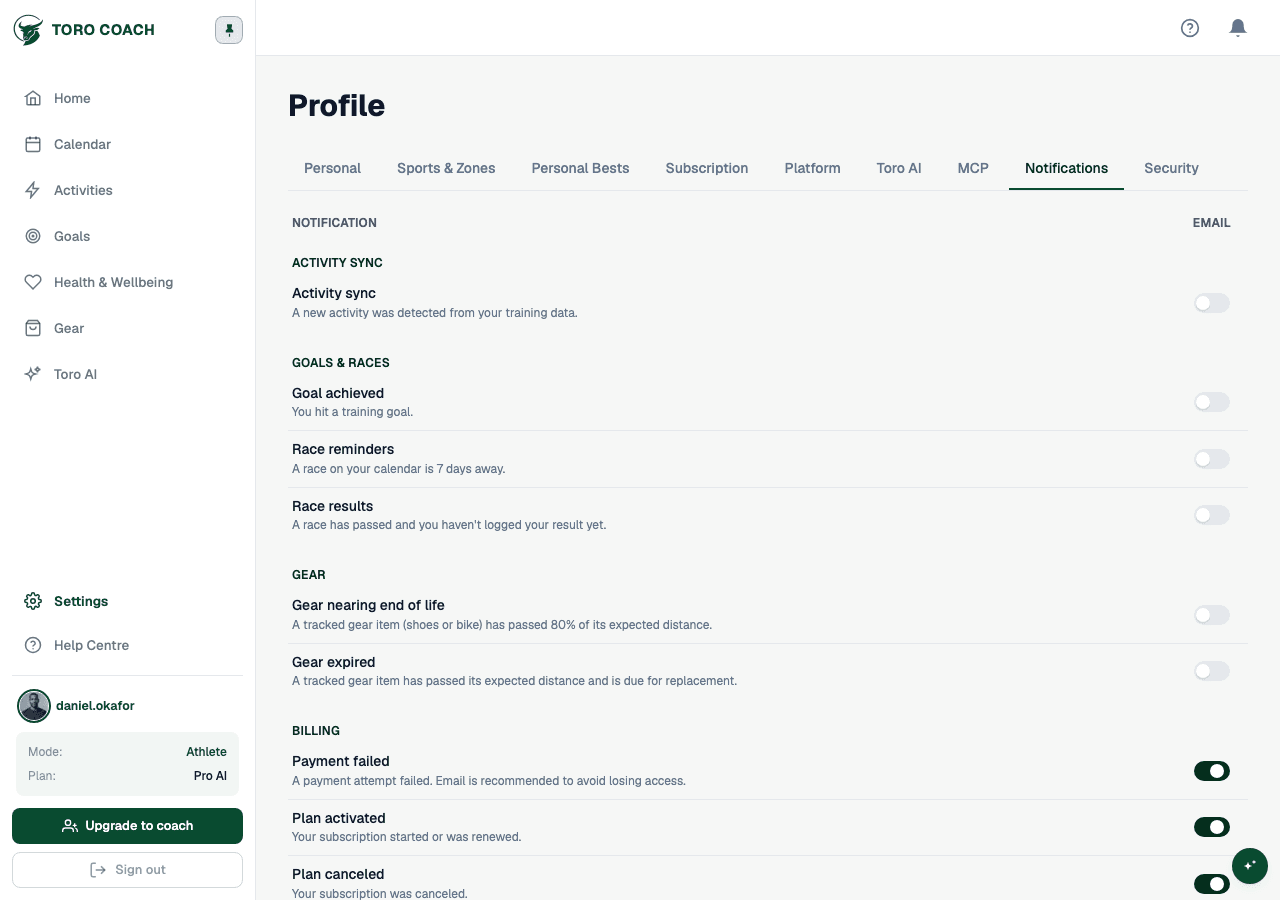
Email notification preferences
Open Profile → Notifications to choose which categories send you an email. Categories differ slightly by role and whether you are coached:
- Athletes with a coach: training changes, activity sync, coach comments, goals & races, injury updates, gear expiry, group sessions, and billing.
- Self-coached athletes: activity sync, goals & races, gear expiry, and billing (no coach-specific categories).
- Coaches: compliance alerts, athlete comments and plan edits, injury logs, gear expiry, group sessions, and billing.