
Coach
Invite athletes
Send invitations and track everyone still finishing setup.
Invite an athlete
- 1
Open Add Athletes and select Invite Athlete.
- 2
Enter their email — this is the only required field.
- 3
Optionally expand “Set up ahead” to pre-set their level, sports, and assigned coach before they even accept.
- 4
Send the invitation.
Tracking the pipeline
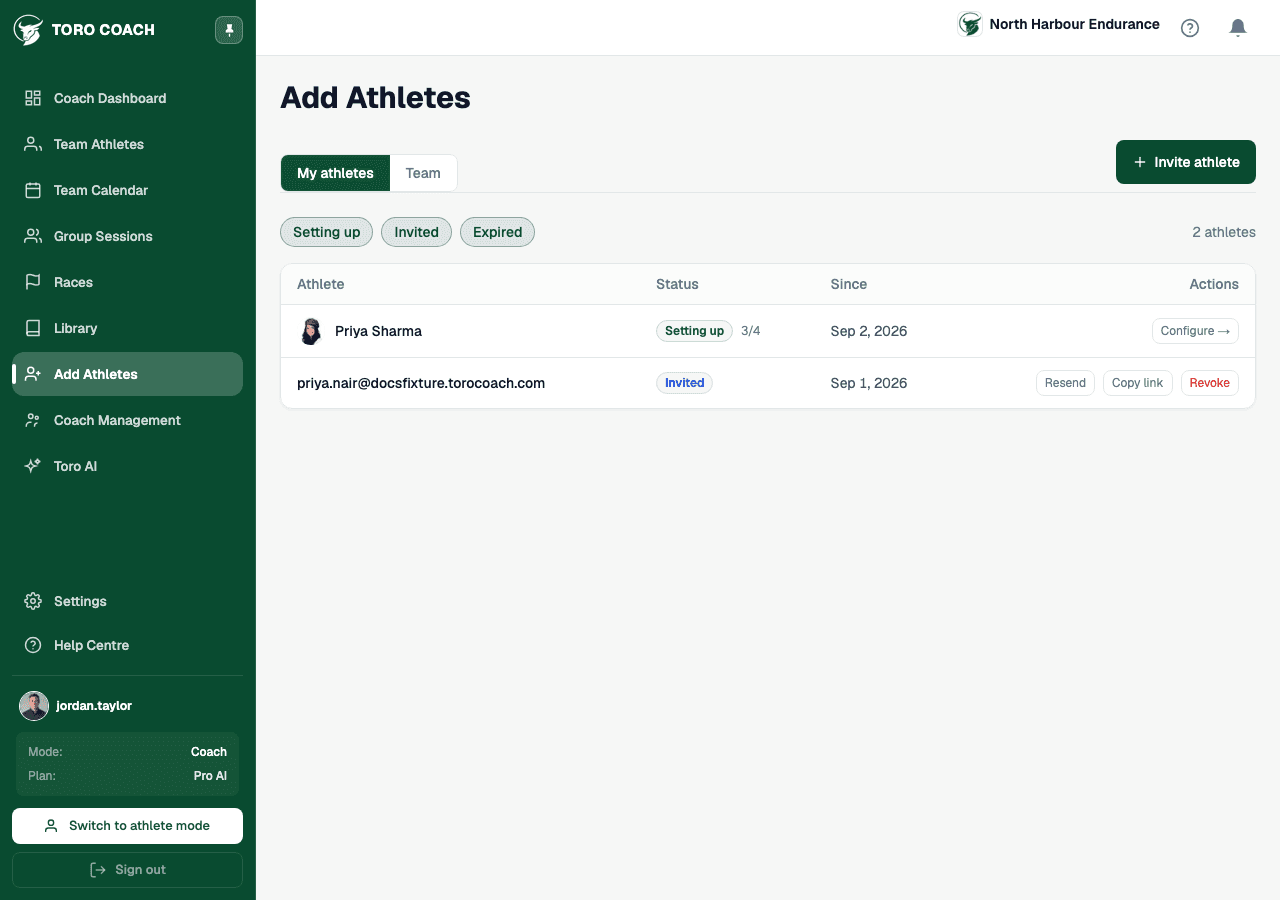
The pipeline table below the invite button shows everyone not yet fully active, grouped by status: Setting up (accepted, still finishing onboarding), Invited (sent, waiting on a response), and Expired (never accepted in time).
- Setting up rows link straight to Configure — that athlete’s profile — so you can help them finish setup.
- Invited rows let you Resend the email or Copy Link to share the invite yourself.
- Revoke cancels a pending invitation outright.