
Build workouts and programs
Reusable workouts, multi-week programs, and where they can be assigned from.
Workouts and Programs tabs
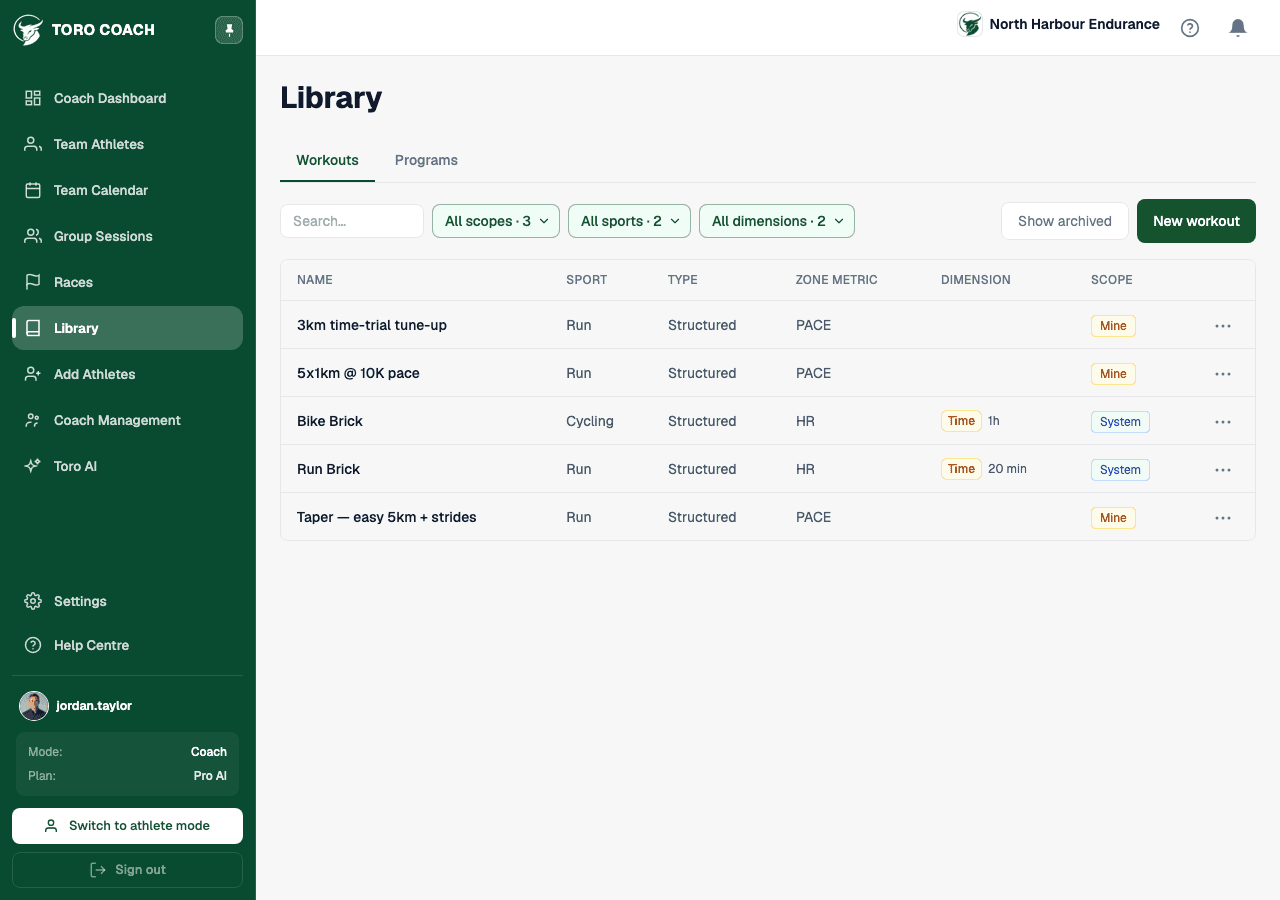
Library has two tabs: Workouts (single reusable sessions) and Programs (multi-week structures built from those workouts). Both support search plus filters for scope (System templates, your Team’s shared library, or just Mine), sport, and — for workouts — whether it’s a time-based or distance-based session.
Creating and archiving
- New workout or New program opens the builder for that type.
- Archive a workout or program instead of deleting it — archived items are hidden from assignment but kept for history; Show archived reveals them again.
- An archived program can’t be assigned to new athletes, but athletes already running it are unaffected.
Team-wide vs. personal library
Only organisation owners and admins can create or edit Team-scoped workouts and programs — the ones every coach on the org shares. Regular coach members can still build and use their own Mine-scoped items.
A program’s own page
Opening a program shows its week-by-week grid on the Program tab and every athlete currently assigned to it on the Athletes tab. Assign from either the program’s own page or straight from an athlete’s row in Athletes.