
Reviewing an athlete’s session
The same in-depth session view athletes see, opened from your side, with the tools to give feedback.
Open a session from Team Plan
Open Team Plan, find the athlete and date, and select a session to open the same rich detail view described in Review a session in depth — Overview, Zones, Laps, Charts, Post-Workout, and Notes, scoped to that one athlete.
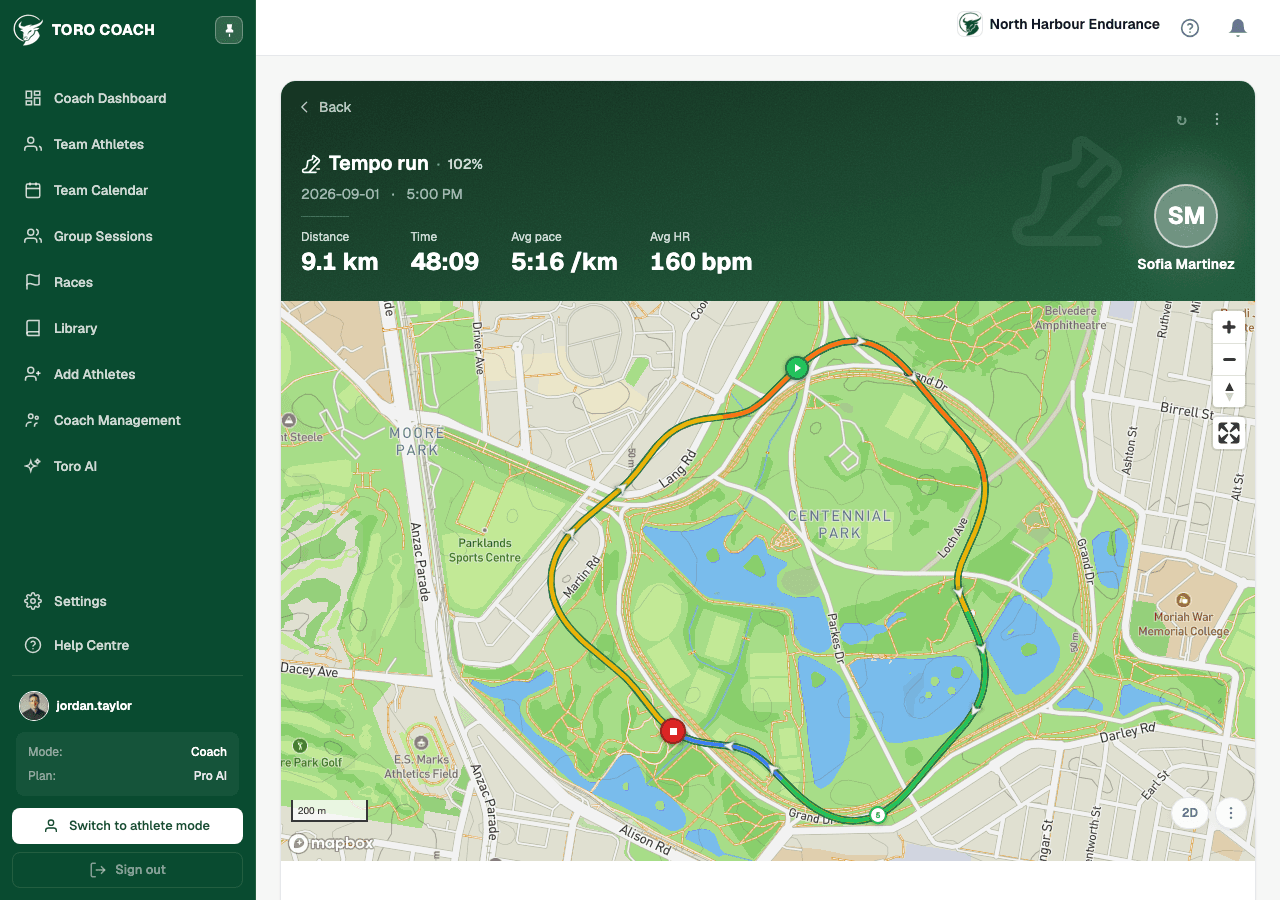
Use Compliance and Zones to prioritise, not decide
Overview’s Compliance score and Zones’ time-in-zone bars are fast signals for whether a session went to plan. Treat them as a starting point for a conversation, not a verdict — the same judgement principle that applies to your dashboard’s status indicators.
- A low compliance score can mean the athlete pushed too hard, not hard enough, or that conditions changed the plan’s relevance.
- Missing zone data usually means the sport has no meaningful HR zones (strength, walk) or the device didn’t record heart rate.
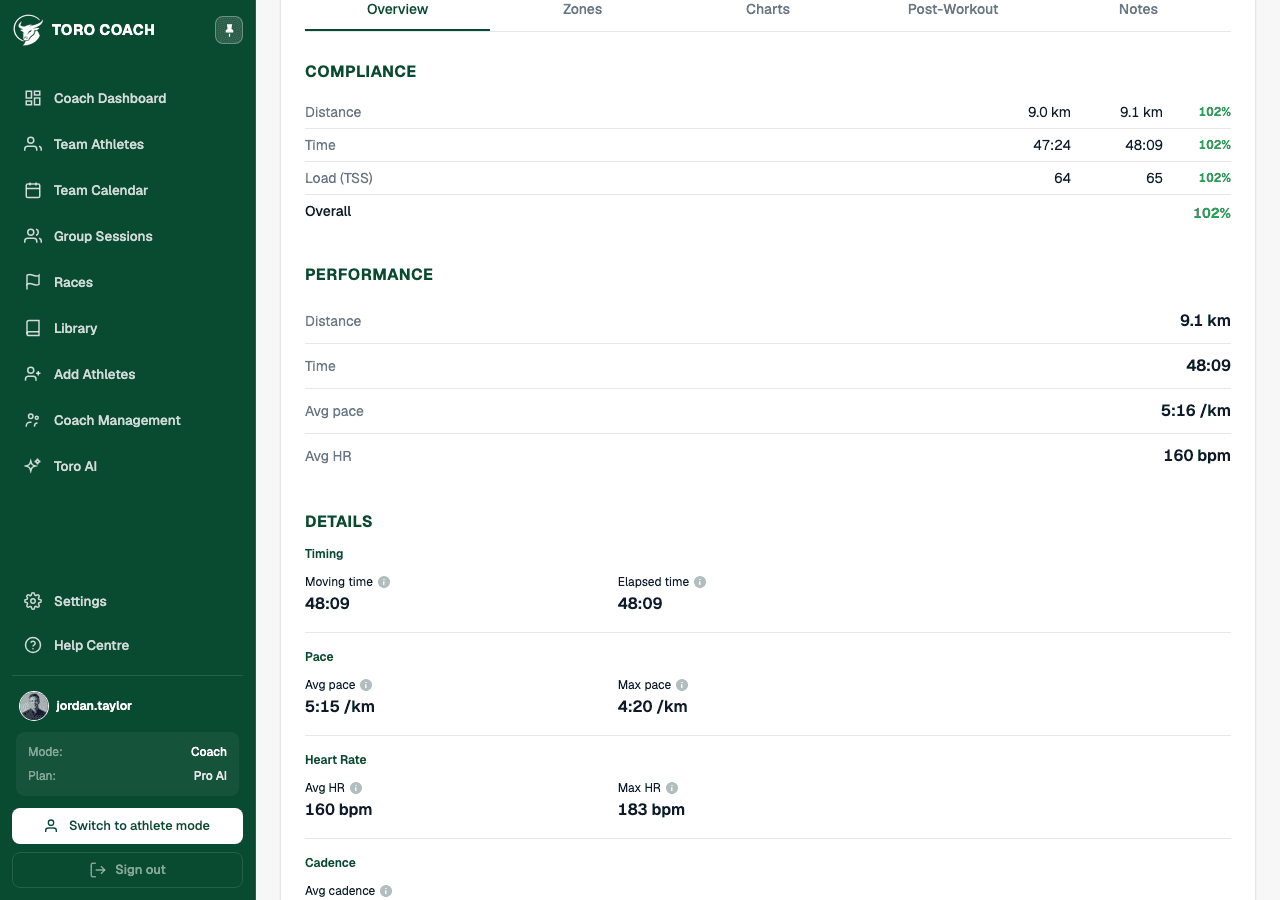
Give feedback in Notes
Use the Notes tab to leave context-specific feedback on this exact session — it becomes part of your ongoing thread with that athlete, visible to them the next time they open the same session.
Expand Change history if you need to see exactly what changed on this session and when, including any re-map or recalculation.
Fixing a session on an athlete’s behalf
From the ⋮ menu you can edit the plan, re-map or unlink the matched activity, recalculate compliance, or sync fresh data from the athlete’s connected training platform — the same actions available on the athlete’s own session-detail page.