
Coach
Manage your roster
The full athlete table — filters, columns, and per-row actions.
The athlete table
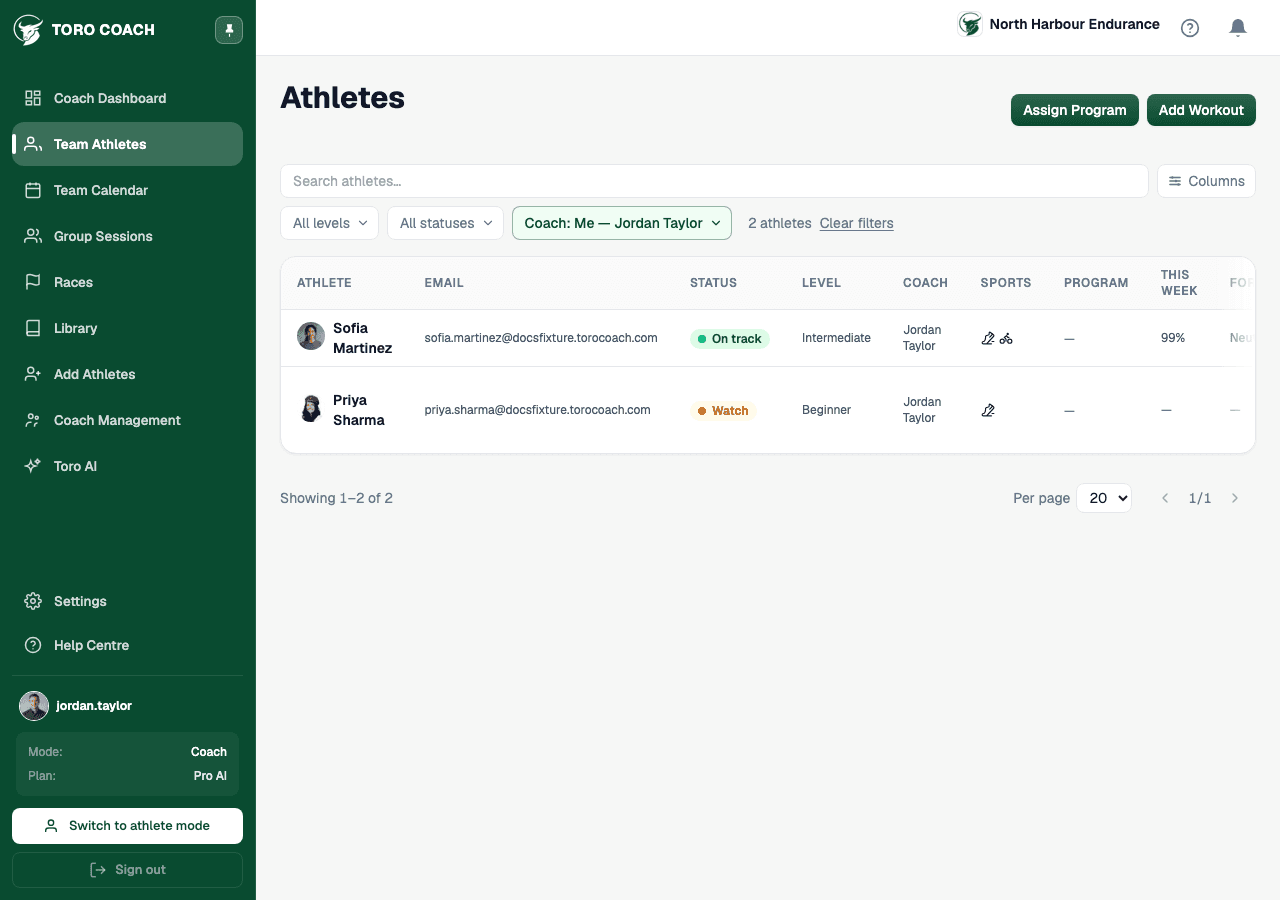
Athletes lists every athlete you can see, one row per athlete: status, level, coach, sports, active program, compliance, form, days since last activity, and setup progress. Use the Columns button to hide any of these you don’t need — your choice is remembered on this device.
Filters and search
- Search by name or email.
- Filter by level (beginner/intermediate/advanced), status (on track/watch/flagged), coach, or city — the coach filter defaults to “Me” so the table opens scoped to your own athletes.
- Clear filters resets everything back to just your own athletes.
The Form column
Form reads an athlete’s TSB (yesterday’s fitness minus yesterday’s fatigue) as Fresh, Neutral, or Fatigued — tap the info icon on the column header for the exact thresholds and the underlying CTL/ATL numbers.
Assigning from a row
Click a row to open that athlete’s full profile. Use the ⋮ menu on the right of a row to assign a workout or a program to that one athlete without leaving the table.