
Coach
Team Plan: your squad calendar
Week and list views, filters, and bulk-assigning workouts or programs.
Week and list view
Team Plan’s default Week view shows a swimlane per athlete against seven days. Switch to List view for a flat, scrollable list of the same sessions instead — useful when you have more athletes than fit comfortably as rows.
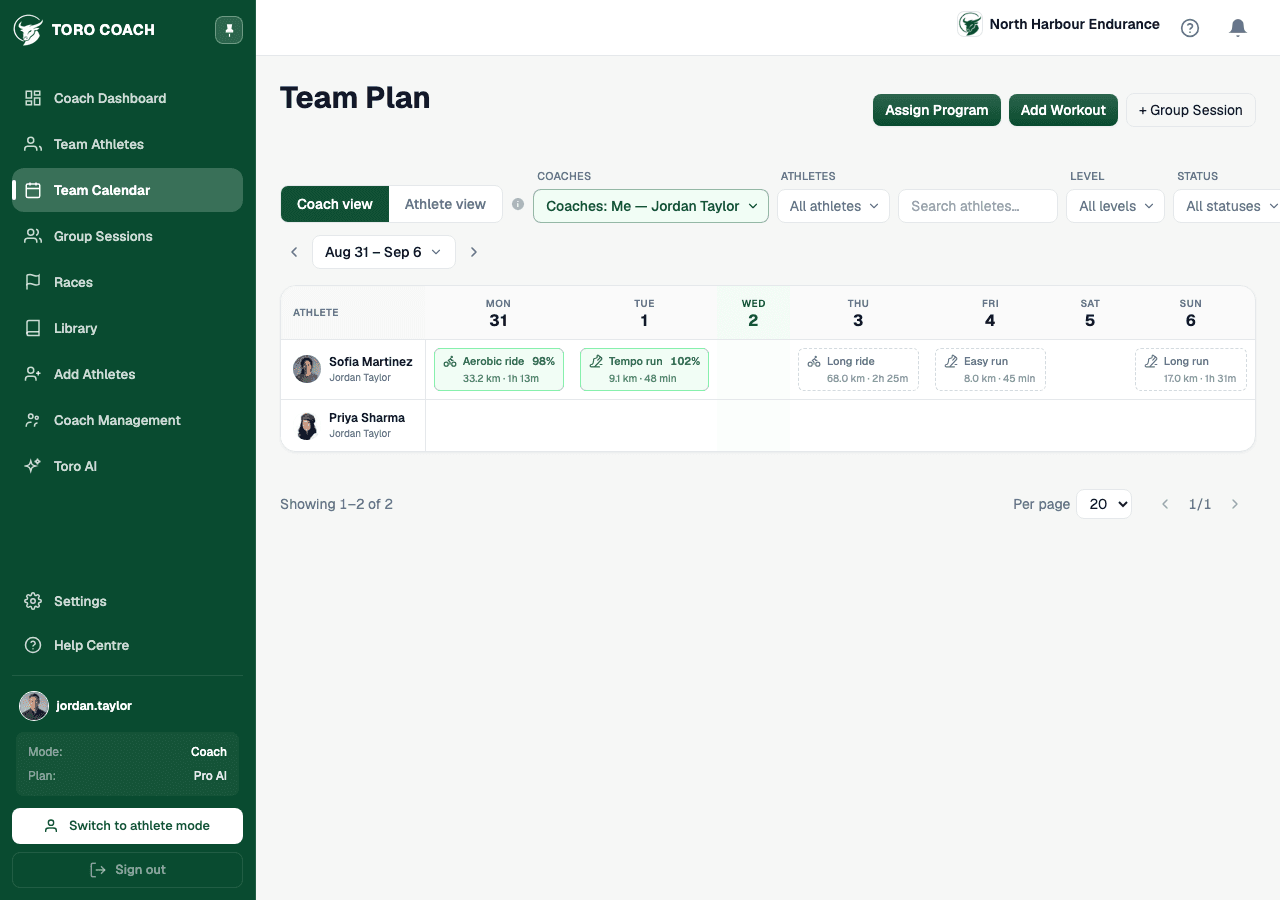
Filtering your squad
- Filter by coach (defaults to “Me”), specific athletes, level, status, or a name search.
- Selecting “All coaches” shows the whole organisation’s roster at once.
- Filters persist across page reloads via the URL, so a filtered view is safe to bookmark or share.
Bulk-assigning a workout or program
- 1
Select Assign Workout or Assign Program at the top of the page.
- 2
Choose one or more athletes from your current roster.
- 3
Pick the workout or program and a start date.
- 4
Confirm — it’s scheduled for every selected athlete at once.
Drilling into one athlete
Selecting an athlete (rather than viewing the whole squad) switches Team Plan to that athlete’s own calendar — their week, today, or a history range — in their own timezone, not yours.